Account settings
What the whole account depends on: conversion tracking, sales import, linked tools and access.
- Send in-store sales back to Google Ads
- Turn on enhanced conversions
- Connect Google Analytics 4
A task with the exact setting to change
Audits, alerts and answers in the chat all end in the same place: a task with its category, its owner, the numbers behind it and the exact change. Approve it, discuss it, decline it or hand it to a specialist.
What the whole account depends on: conversion tracking, sales import, linked tools and access.
A task with the exact setting to change
Changes to what already runs: keywords, negatives, bids, budgets, ads and sitelinks.
A task with its evidence from your data
Campaigns worth testing, planned with Keyword Planner, each with a daily budget you approve.
A proposal with search volumes and a budget
Something changed or broke and needs a look now, in or outside Optizads.
An alert, as soon as it is found
Before you say yes, the task shows what changes in Google Ads, the numbers behind it and how you will know it worked. Only what is listed moves.
Checked again before it runs
Every rule runs again, the finding is checked again, and Google rehearses the change. If the problem is already gone, nothing is written.
Read back after
Once Oppy applies the change, it reads the account again to confirm it landed.
Logged with its reason
History keeps who approved it, what changed and which task it came from.
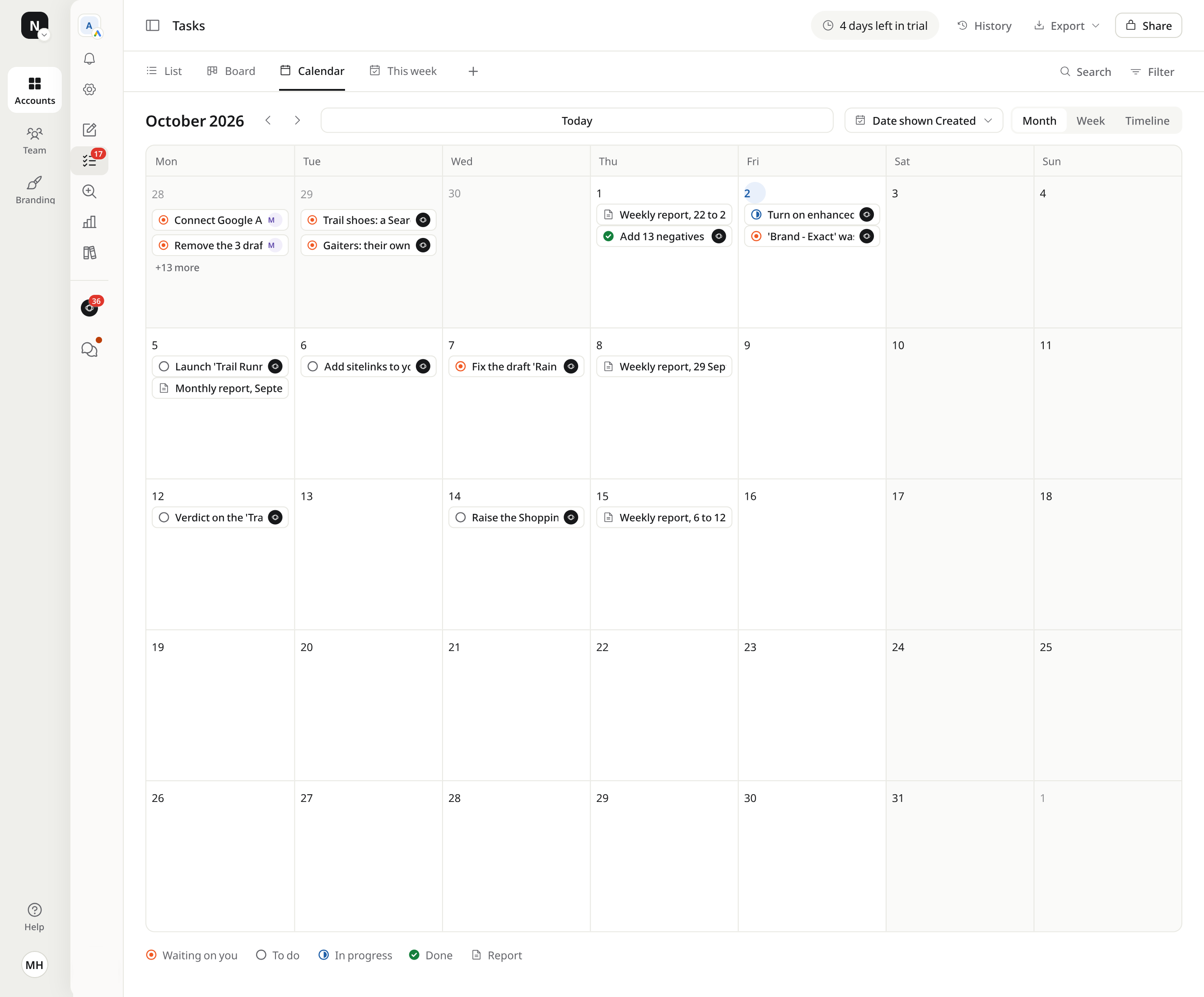
One line per task, grouped by status: waiting on you, to do, in progress, done.
Cards you move across the same four statuses, with the evidence on each card.
Launches, deadlines and report days, by date, month or week.
Up to five tasks at a time, in the order they matter. Finish one and the next comes in.
Ask a question on any task. Oppy reads every comment and replies in the task, without anyone tagging it.
Mention a teammate or hand a task over. It lands in their Notifications, opened on the comment it is about.
When a task needs a person with access to your site or tags, ask an Optizads specialist from the task. That work is quoted at a fixed price before it starts.
Pick several tasks and approve, decline, mark done or hand them over in one move.
Filter and sort on any column, group the list, and save the view for everyone.
An open alert and the task that fixes its cause point at each other, so nobody fixes the same thing twice.
The whole list, or a filtered view, as a spreadsheet.
Copy the link to a task or a view for someone on the team. An admin can invite anyone else first.
Rewrite a title or a description yourself, or ask Oppy to.
A deleted task stays deleted, and History says who removed it.
Anything else? Ask Oppy in the product, or write to the team.
From every audit, from alerts, from answers in the chat, and from you: anyone on the team can write a task. Each one lands in one of four categories: Account settings, Optimisation, New campaigns and Alerts.
Its owner. A task Oppy can do is Oppy's, and it waits for your approval in Suggest only mode. A task that needs a person, such as a tag on your site, goes to someone on your team or to an Optizads specialist.
Oppy runs every rule again and checks that the finding behind it still stands, has Google rehearse the change, applies it, reads the account back to confirm, and logs it in History with who approved it.
Yes. Export the list or any filtered view as a spreadsheet, or copy a view's link for your team.
Yes. Add a task with its title and description, give it an owner and a date, and Oppy can help write the brief.
Create your account and connect Google Ads. Your first audit arrives in minutes, your first tasks soon after. 14 days free, no card.



Add 41 negatives to '[EU] Trail Running'
Description
The changeAdd the 41 terms as phrase-match negatives to '[EU] Trail Running'. Nothing else in the campaign changes.
What it touchesThe campaign '[EU] Trail Running' and its negative keywords. No budget, bid or ad changes.
Done meansThe 41 terms stop showing in the search terms report.
Comments
Maren Holt1 Oct, 09:12
Can a specialist check 'trail running jobs'? We hire in our stores.
Jonas WeberOptizads specialist1 Oct, 11:40
Checked the last 90 days: job searches never bought online. Keep it as a negative here. Your careers page has its own campaign.
Oppy1 Oct, 11:41
Added Jonas's check to the evidence. Ready for your review.