Your AI marketing operatorBacked by human specialists
Oppy audits your Google Ads account, plans your media and prepares every change. You approve each one, or let Oppy make them alone inside conditions you set. Every change is on record.
Everything Oppy does, in one workspace.Threads, tasks, audits and reports, for the people who run Google Ads.
Ask Oppy
Ask anything. Get tasks back.
Oppy answers with your own numbers, pulls Keyword Planner volumes and bid ranges, and turns the answer into tasks when you ask.
Try asking
Where am I wasting spend?Ask
Which campaigns are over budget this month?Ask
Find negative keywords to addAsk
Where am I wasting spend?
€1,240 went to searches that never converted. Four kinds of search hold all of it.
free and cheap searches€410
job searches€320
repair searches€290
second-hand searches€220
Which campaigns are over budget this month?
One campaign is over its budget this month, and two are close.
Rain Shells112%
Hiking Boots96%
Outerwear 202688%
Find negative keywords to add
41 search terms spent money and sold nothing. They are ready as one task.
Add 41 negatives to '[EU] Trail Running'Review
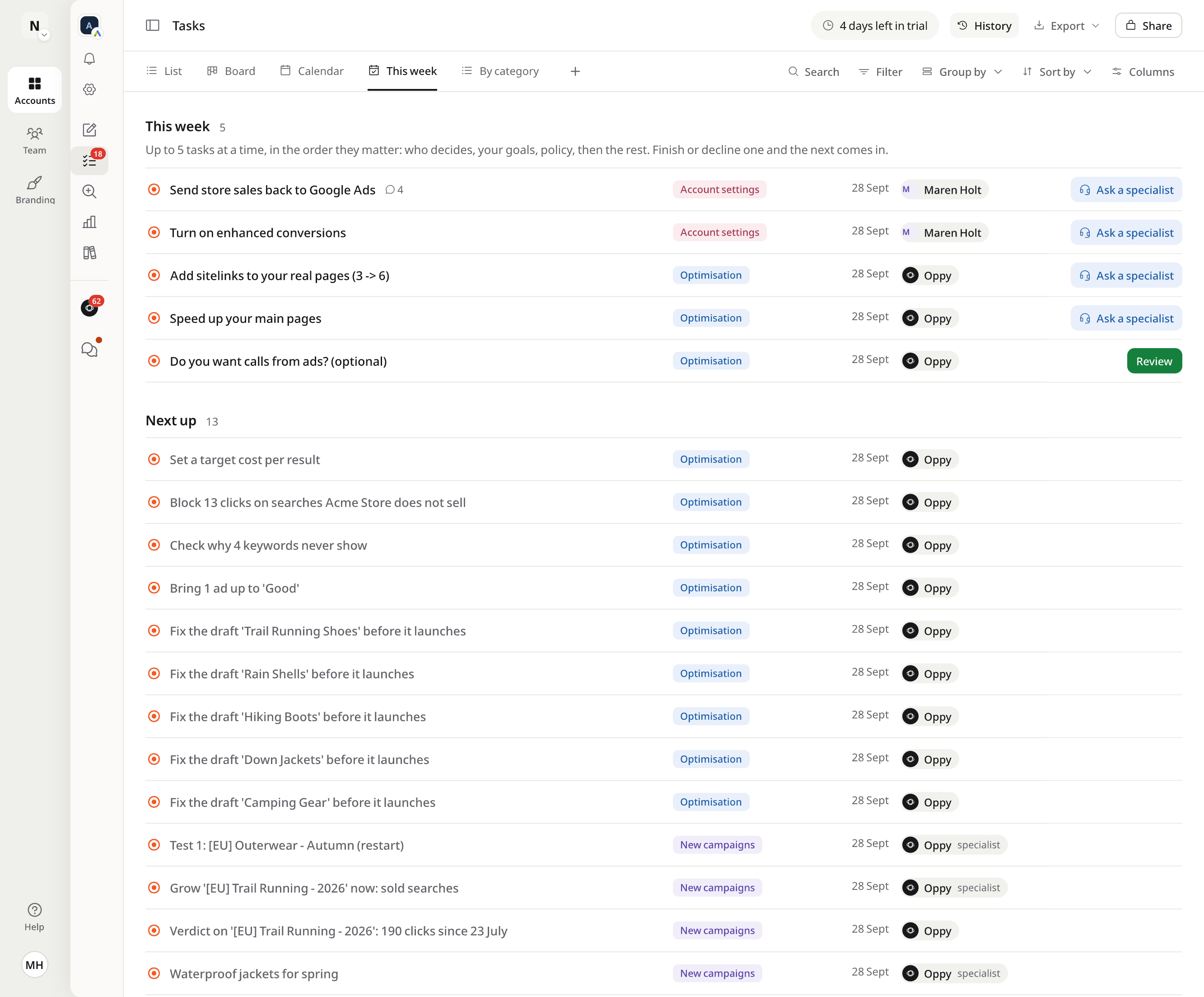
Tasks
Every audit ends in a task list.
Tasks arrive by category, with an owner and the evidence behind them. Approve, discuss or decline, or hand one to a specialist.
18 tasks exportedacme-store-tasks.xlsx
Link copiedOnly your team
Account settingsSend in-store sales back to Google AdsTurn on enhanced conversionsConnect Google Analytics 4
OptimisationBlock 41 searches Acme Store does not sellAdd sitelinks to your real pages (3 to 6)Raise the max CPC on 'Trail shoes' to €0.85
New campaignsLaunch 'Trail Running' as a test: €15 a dayWaterproof jackets for springRestart '[EU] Outerwear' for autumn
Alerts'Brand - Exact' was paused outside Optizads'Rain Shells' was limited by its budget yesterdayConversions dropped to zero on Tuesday
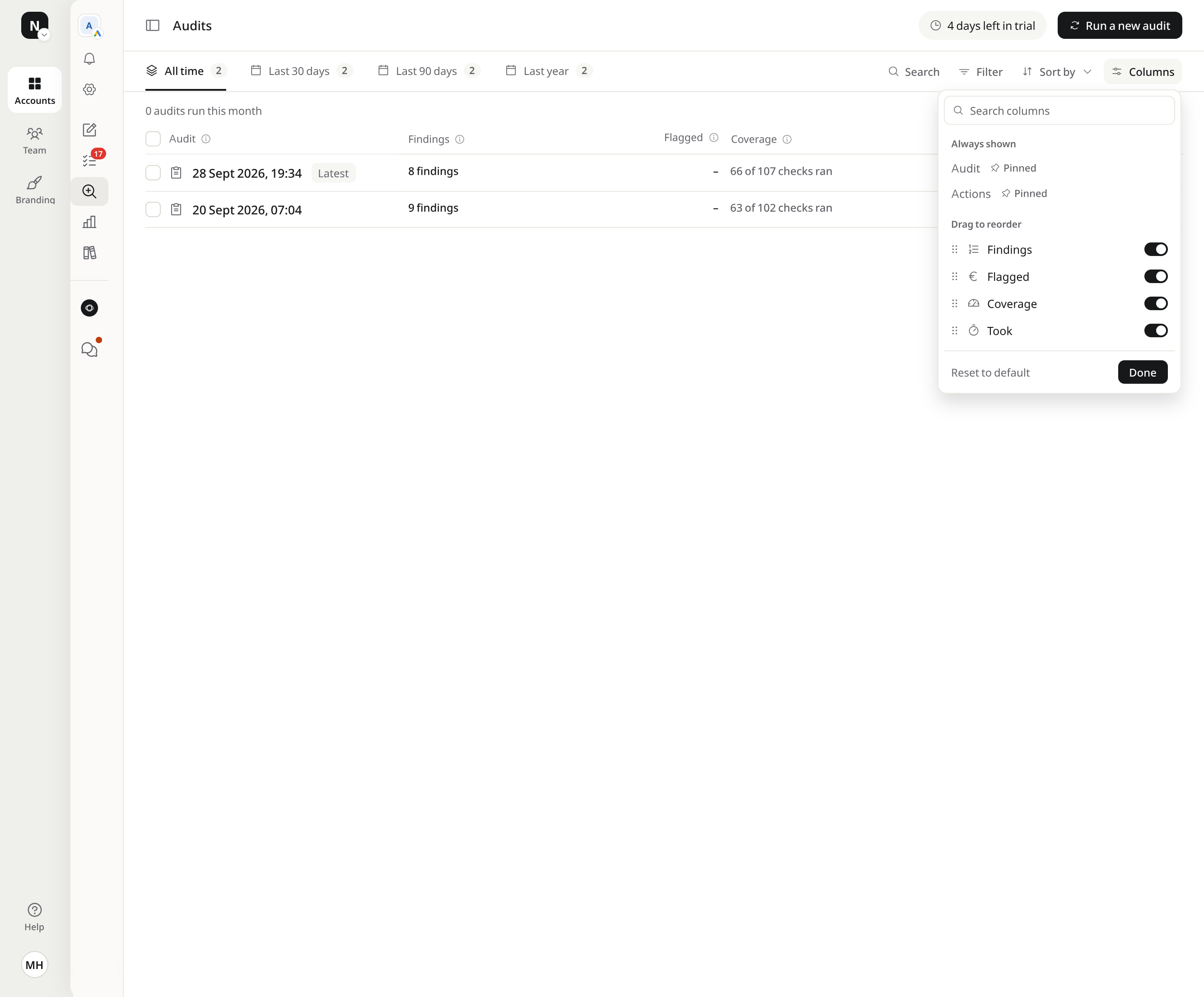
Audits
An audit in minutes.
Run one whenever you like. Each audit shows what it flagged, how much of the account it covered, how long it took, and the tasks it created.
checks per audit
100+
to run
Minutes
to download
PDF
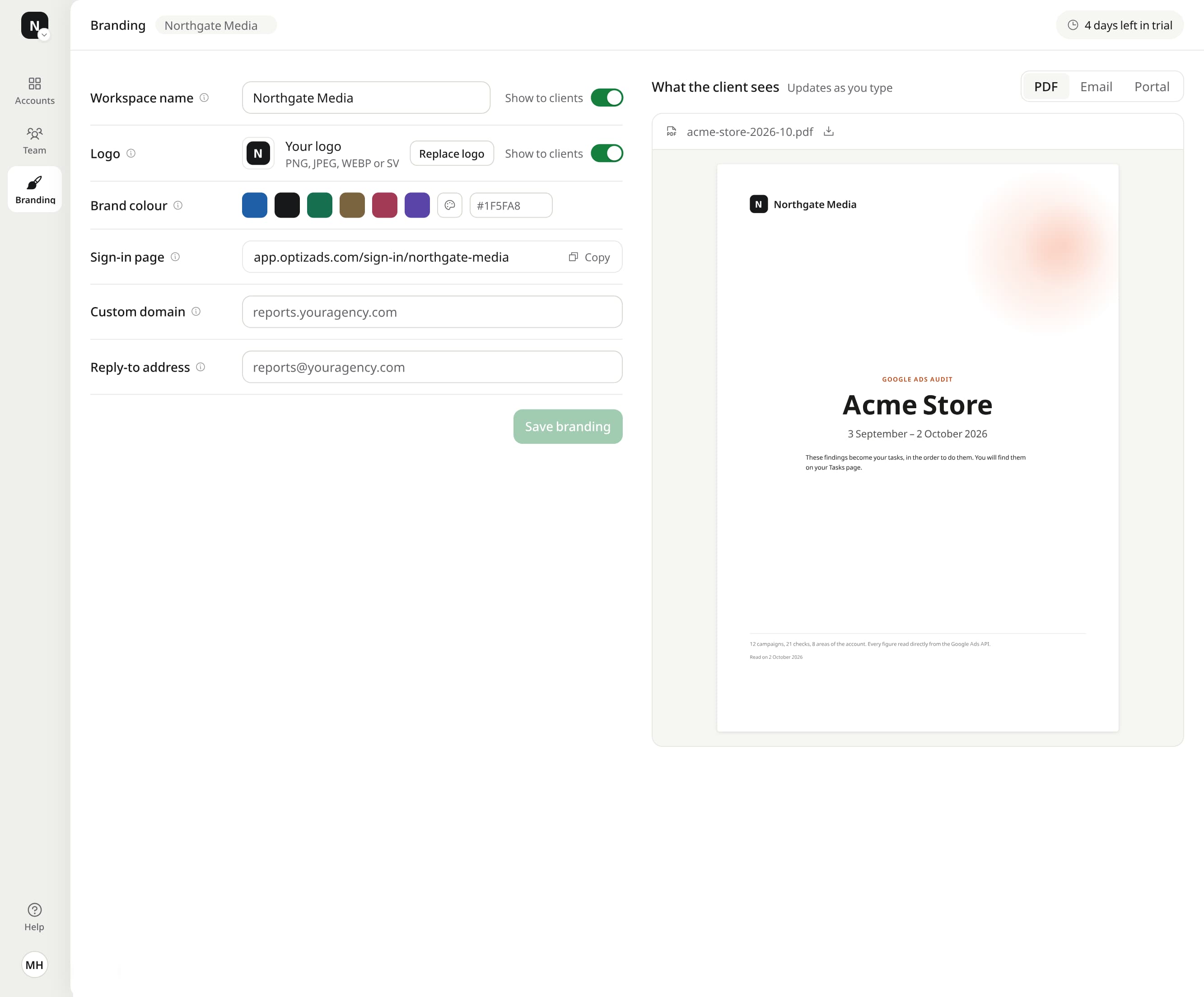
Reports
Reports with your name on them.
Every week, month and quarter, Oppy writes the report and checks it before it goes out. Agencies add their logo, colour and domain, and clients read it as a PDF, an email or a portal page.
White-label settings
Send as
LogoNNorthgate Media
Colour
Domainreports.northgate.media
What the client seesUpdates as you typePDFEmailPortal
acme-store-week-39.pdfAcme Store, your weekly reportreports.northgate.media/acme-store
NNorthgate Media
Google Ads reportAcme Store22 to 28 September 2026Spend, conversions and what changed this week, checked by Oppy before it went out.
reports.northgate.mediaNorthgate Media
NNorthgate Mediareports@northgate.media
Acme Store, your weekly reportSpend, conversions and what changed this week, checked by Oppy before it went out.
€1,456Spend73Conversions€19.95CPA
Open the report
reports.northgate.media/acme-store
NNorthgate MediaWeekly reportAcme Store, 22 to 28 September 2026
€1,456Spend73Conversions€19.95CPA
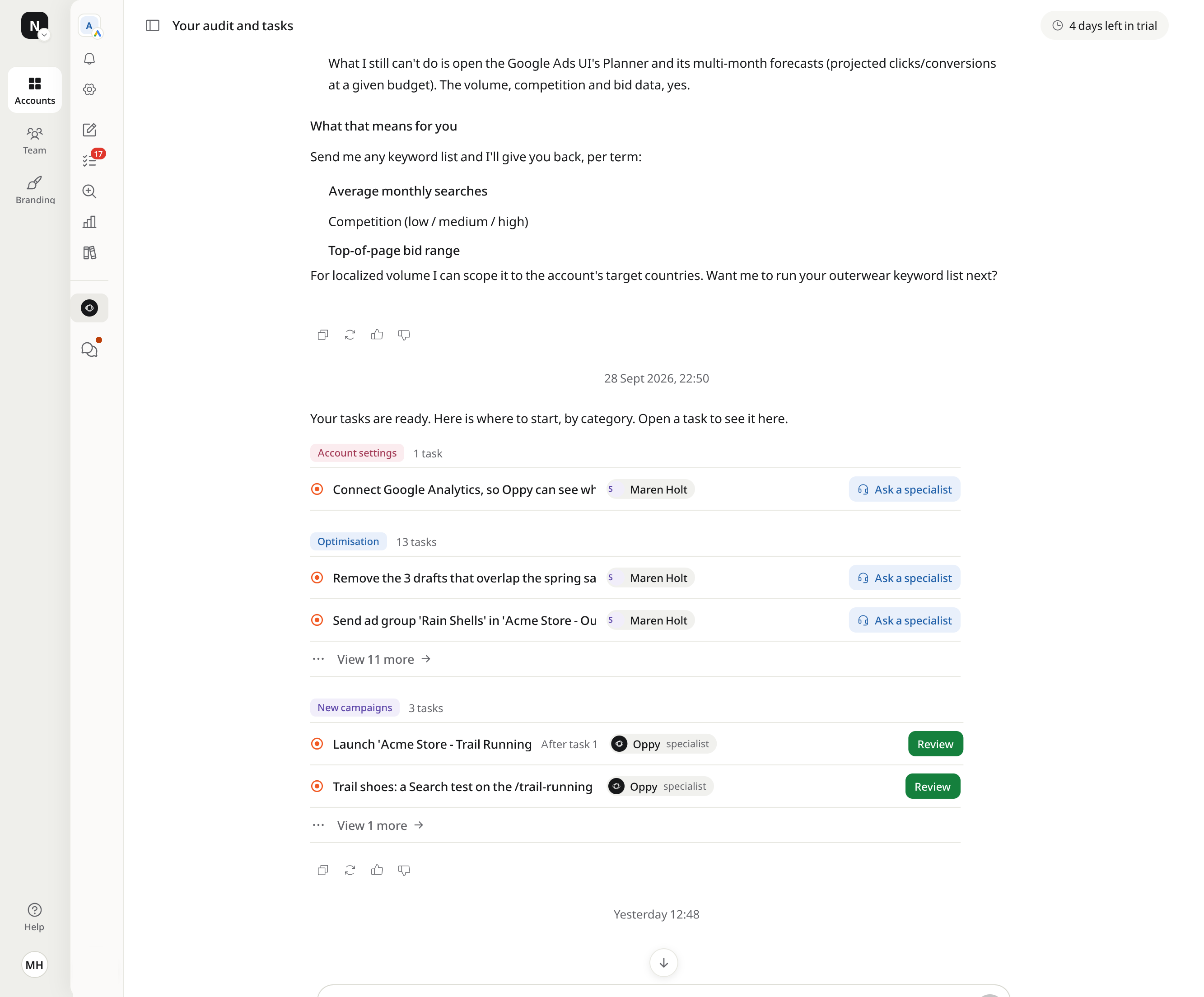
Your first audit, as a task list.One line per task, with its category, owner and status.
Your first tasks arrive minutes after you connect.
Every task has one of four categories.You see what kind of work is waiting before you open it.
Account settings
Not linkedpurchase: 0 recorded in 2 years
What the whole account depends on: conversion tracking, sales import, linked tools and access.
Send in-store sales back to Google Ads
Turn on enhanced conversions
Connect Google Analytics 4
A task with the exact setting to change
Optimisation
Spend on searches that never convert, by week
41 negatives added
€312 a month free for better searches
Changes to what already runs: keywords, negatives, bids, budgets, ads and sitelinks.
Block 41 searches Acme Store does not sell
Add sitelinks to your real pages (3 to 6)
Raise the max CPC on 'Trail shoes' to €0.85
A task with its evidence from your data
New campaigns
trail running shoes2,400 a month
JFMAMJJASOND
Test at €15 a day
Campaigns worth testing, planned with Keyword Planner, each with a daily budget you approve.
Launch 'Trail Running' as a test: €15 a day
Waterproof jackets for spring
Restart '[EU] Outerwear' for autumn
A proposal with search volumes and a budget
Alerts
Limited by budget'Rain Shells' ran short of budget yesterday
Also in Waiting on you, and by email when urgent
Something changed or broke and needs a look now, in or outside Optizads.
'Brand - Exact' was paused outside Optizads
'Rain Shells' was limited by its budget yesterday
Conversions dropped to zero on Tuesday
An alert, as soon as it is found
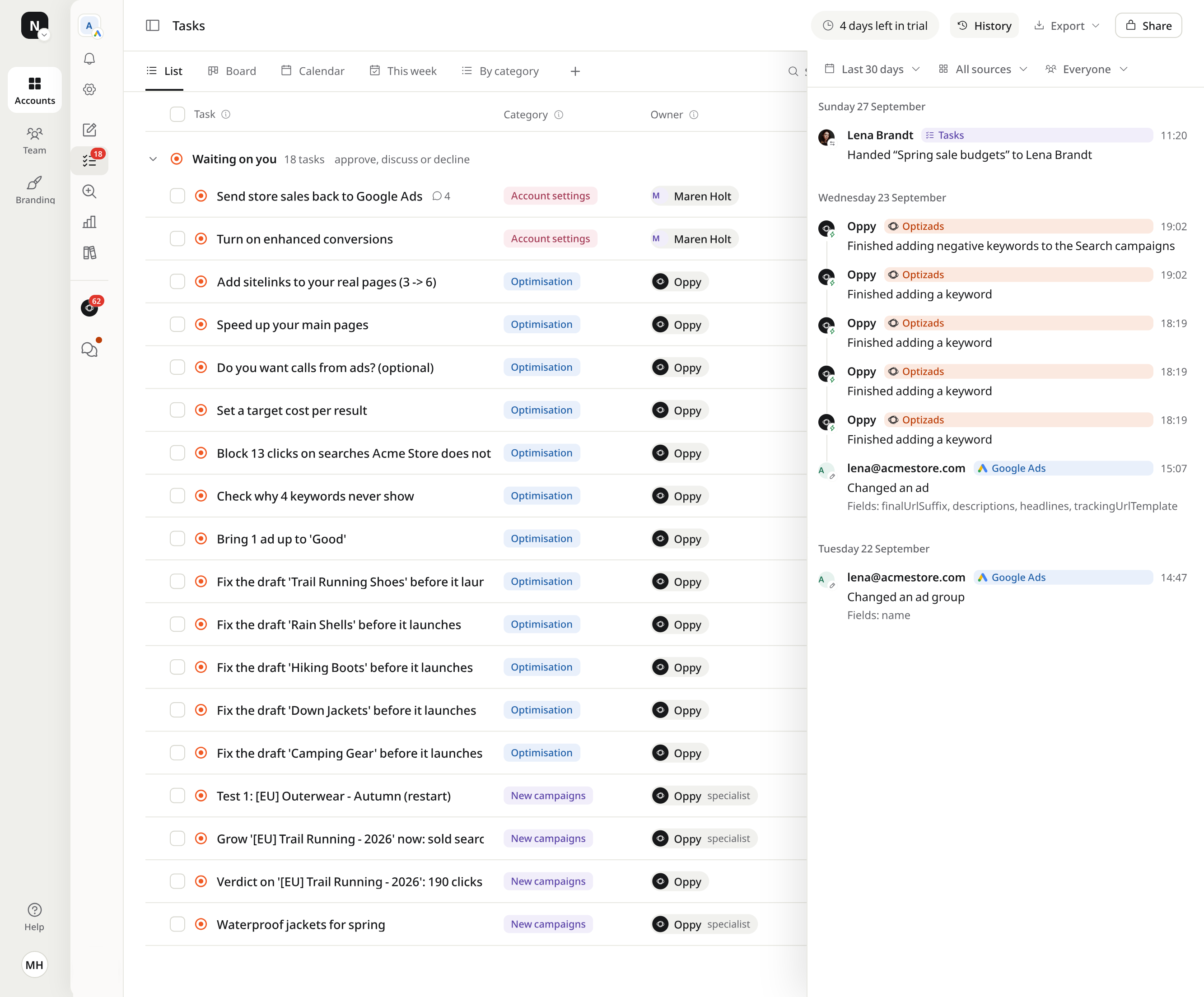
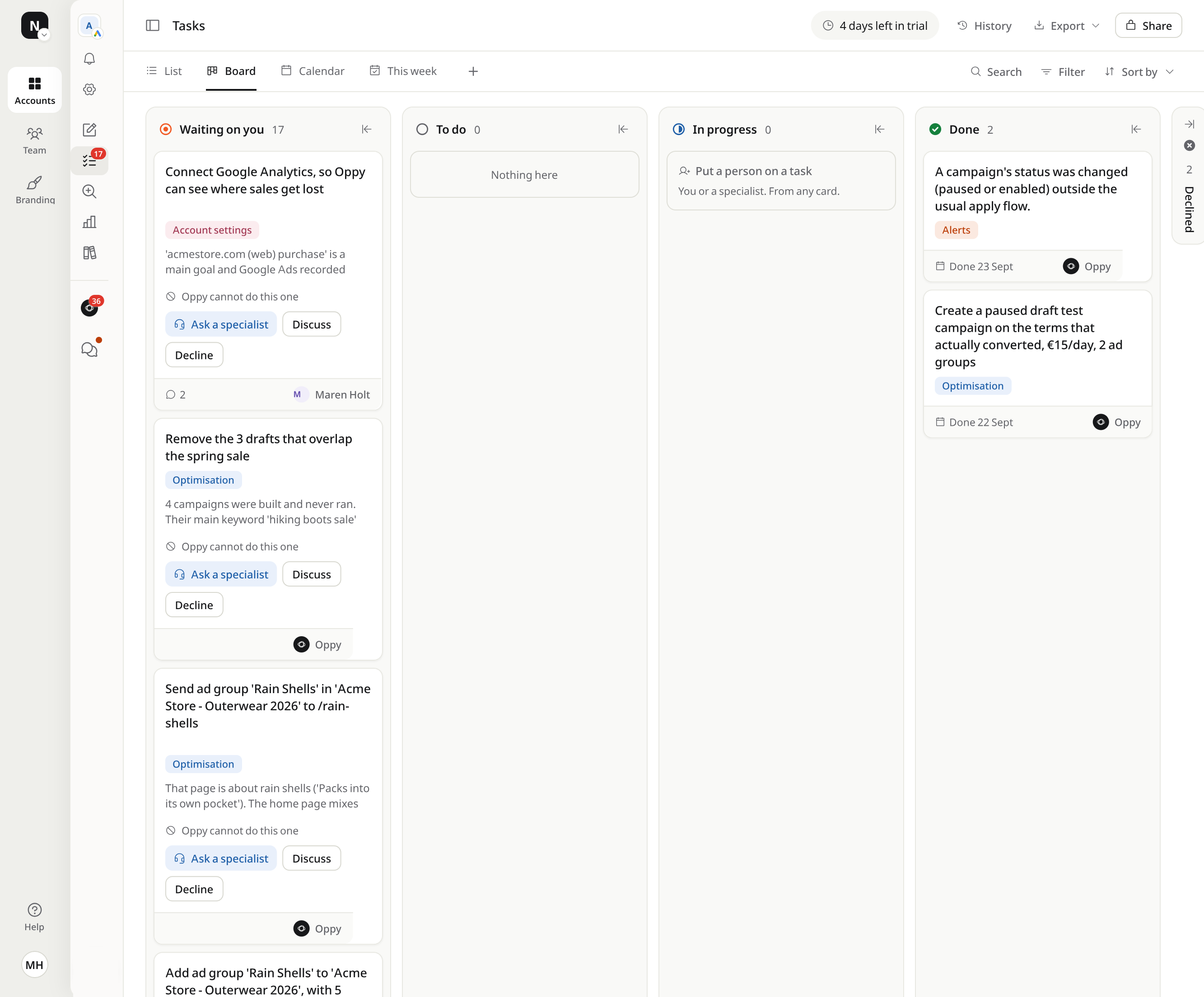
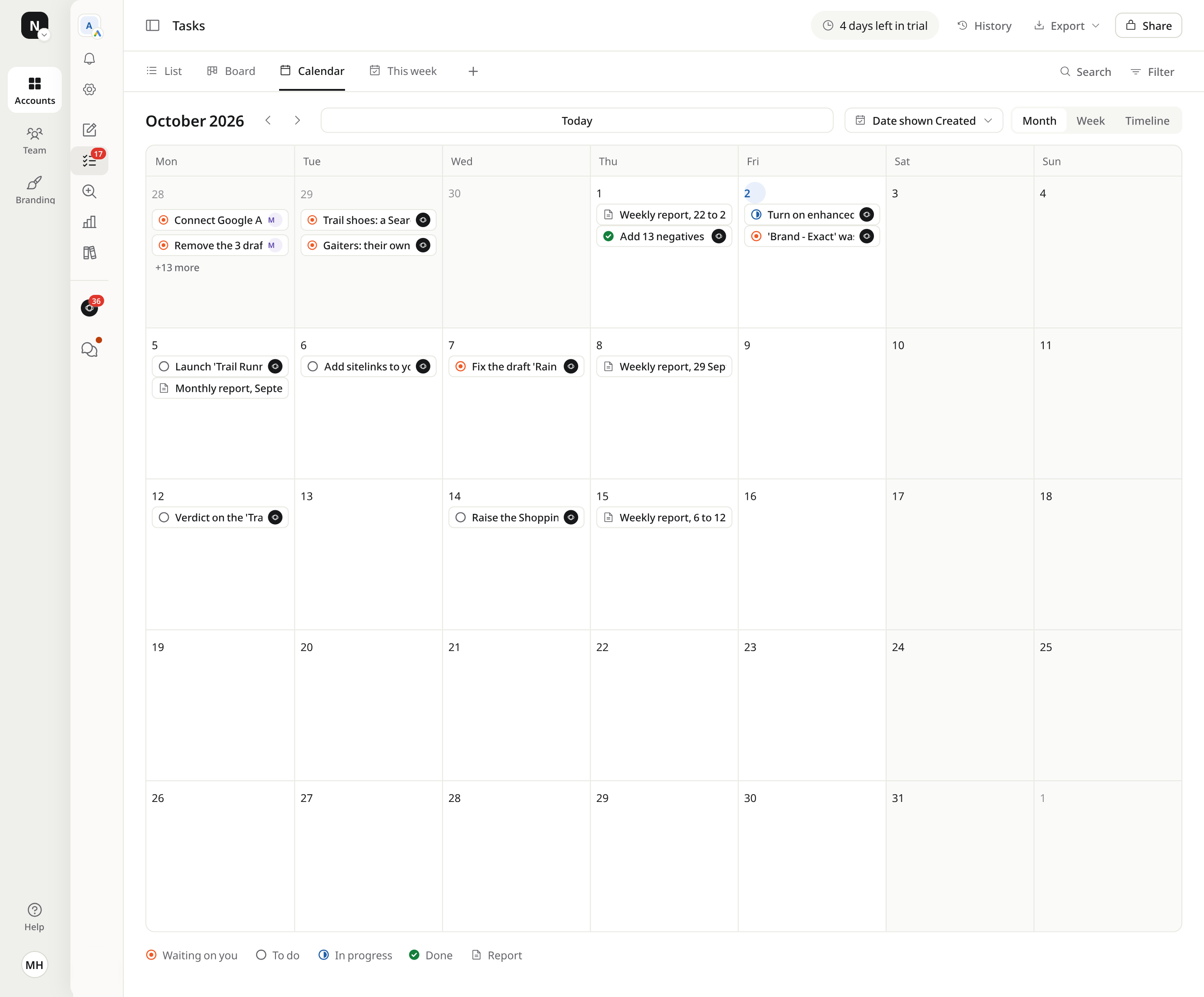
Four views of the same tasks.A list to work through, a board to move, a calendar to plan.
Waiting on you 17To do 4
List
One line per task, grouped by status: waiting on you, to do, in progress, done.
WaitingTo doIn progressDone
Board
Cards you move across the same four statuses, with the evidence on each card.
October 2026
Calendar
Launches, deadlines and report days, by date, month or week.
This week 5Next up 13
This week
Up to five tasks at a time, in the order they matter. Finish one and the next comes in.
Every task opens into a full brief.With its evidence, the exact change and a thread Oppy answers.
Inside every task
Owner and statusWho has it, and whether Oppy can do it alone.
EvidenceThe numbers from your account behind the task.
The changeExactly what will change, in plain words.
What it touchesThe goals, campaigns and pages involved.
Done meansHow you will know it worked.
CommentsAsk anything. Oppy reads it and replies in the task.
Open it your way
8 / 21Share
Add 41 negatives to '[EU] Trail Running'
ReviewDiscuss with Oppy
Status
Waiting on you
Owner
OppyAsk an Optizads specialist
Category
Optimisation
Method
Oppy writes it, you check
Evidence
41 search terms spent €312 in 30 days with no sale, such as 'free hiking boots' (€96) and 'trail running jobs' (€58).
Created
28 Sept 2026, 22:33
Description
The changeAdd the 41 terms as phrase-match negatives to '[EU] Trail Running'. Nothing else in the campaign changes.
What it touchesThe campaign '[EU] Trail Running' and its negative keywords. No budget, bid or ad changes.
Done meansThe 41 terms stop showing in the search terms report.
Comments
MH
Maren Holt1 Oct, 09:12
Can a specialist check 'trail running jobs'? We hire in our stores.
JW
Jonas WeberOptizads specialist1 Oct, 11:40
Checked the last 90 days: job searches never bought online. Keep it as a negative here. Your careers page has its own campaign.
Oppy1 Oct, 11:41
Added Jonas's check to the evidence. Ready for your review.
Add a comment, Oppy reads it and replies
Oppy does the work. People check it.On any task, ask an Optizads specialist, an experienced Google Ads marketer on our team, and you make the call.
OppyAI marketing operator
MHYouAccount owner
JWJonas WeberOptizads specialist
09:12Oppy wrote the task41 search terms took €312 and sold nothing
MH
09:40You asked a specialistAre any of these terms products we sell?
JW
10:40Jonas checked the termsNone is a product. Safe to block.
MH
11:20You approvedOne click, in the task
11:21Oppy applied itLive in Google Ads
2 h 9 minfrom draft to live, with a person checking
09:12Oppy, AI marketing operator
Oppy wrote the task
41 search terms took €312 and sold nothing
MH
09:40You, Account owner
You asked a specialist
Are any of these terms products we sell?
JW
10:40Jonas Weber, Optizads specialist
Jonas checked the terms
None is a product. Safe to block.
MH
11:20You, Account owner
You approved
One click, in the task
11:21Oppy, AI marketing operator
Oppy applied it
Live in Google Ads
2 h 9 minfrom draft to live, with a person checking
Ask a specialist when
Oppy marks a task 'cannot do this one'
Tracking or the site needs work, at a fixed price agreed first
You want a second opinion before a launch
Two modes. You decide what Oppy does alone.Suggest, or Autonomous inside conditions you approve.
Suggest
Every task waits for your confirmation before it starts.
Add 41 negatives to '[EU] Trail Running'
Raise 'Rain Shells' by €10 a day
Approve bothDeclineWaiting on you
Nothing goes live until you approve it.
Autonomous
Oppy makes the kinds of change you leave on by itself, inside your conditions, and lists each one the same day. Tracking and protected campaigns still wait for you.
Your conditions€14,000 a month · €600 daily max
What goes live on its own
Negative keywordsOn its own
Budget raises and cutsOn its own
Conversion trackingWaits for you
Switch back to Suggest and everything waits for you again.
In both modes
Every change is logged in History, with its reason
Switch modes any time in Settings
Ask a specialist on any task
Built for agencies, from the first client.Every client in one workspace, under your name.
Agencies
One agency, every client account.
Every client on one page: spend, conversions, clicks, impressions, CPA, tasks and CPA against target. Each client account keeps its own tasks, audits and reports, and every report goes out under your brand.
Your whole team, on every client
Your logo, colour, domain and sign-in page
One invoice for every account. You bill your clients yourself
Only as far as your mode allows. In Suggest, every change waits for your approval. In Autonomous, Oppy makes the kinds of change you leave on, inside the conditions you approve, and lists each one the same day. Tracking and anything on a protected campaign always wait for you. Oppy has full access through Google sign-in, and every change is logged in History.
Is my account too small?
Any account can use it, so do the sums first. The first plan covers spend up to €8,000 a month, at €333 a month billed yearly, with the same audits, tasks and reports as the larger plans. Below about €3,000 a month of ad spend, the plan is a large share of the budget, and the free tools are the better start. You can try the app free for 14 days, with no payment card.
What does an audit cover?
More than 100 checks on the account: conversion tracking, wasted spend and negative keywords, budgets and bids, ads and assets, landing pages, Shopping feeds, Performance Max, and location, device and schedule. Each audit shows how many checks ran on your account, and turns what it finds into tasks.
Can Oppy plan new campaigns?
Yes. Oppy pulls search volumes and bid ranges from Keyword Planner, groups the ideas into ad groups and proposes the campaign as a task in New campaigns, with a daily budget. Nothing launches until you approve it.
Can I export tasks and reports?
Yes. Tasks export as a spreadsheet from the Tasks page, and a view's link can be shared with your team. Audits and reports download as PDF.
Can an agency run several client accounts?
Yes. Every client account sits in one workspace with its own tasks, audits and reports, and one page lists them all with spend, conversions, CPA and tasks. Reports go out under your logo, colour and domain, and one invoice covers every account.
Where is my data stored?
The app and its database run on servers in Ireland, in the EU. The AI models that write Oppy's answers may run outside the EU, and the privacy policy lists each provider. Oppy reaches your Google Ads account through Google sign-in, and you can revoke that access from your Google account at any time.
Put Oppy to work on your account.
Create your account and connect Google Ads. Your first audit arrives in minutes, your first tasks soon after. 14 days free, no card.




Add 41 negatives to '[EU] Trail Running'
Description
The changeAdd the 41 terms as phrase-match negatives to '[EU] Trail Running'. Nothing else in the campaign changes.
What it touchesThe campaign '[EU] Trail Running' and its negative keywords. No budget, bid or ad changes.
Done meansThe 41 terms stop showing in the search terms report.
Comments
Maren Holt1 Oct, 09:12
Can a specialist check 'trail running jobs'? We hire in our stores.
Jonas WeberOptizads specialist1 Oct, 11:40
Checked the last 90 days: job searches never bought online. Keep it as a negative here. Your careers page has its own campaign.
Oppy1 Oct, 11:41
Added Jonas's check to the evidence. Ready for your review.